



Oops... looks like the spiders padded through here
Add products to your cart and remove them from here Lets buy
Installation guide for the custom models via Model Engine.
Requirements: This method requires Model Engine to be installed.
Open the model_engine folder. Inside, you will find the .bbmodel for the crate.
.png)
Main Folder
Drag and drop the .bbmodel file inside the blueprints folder of Model Engine.
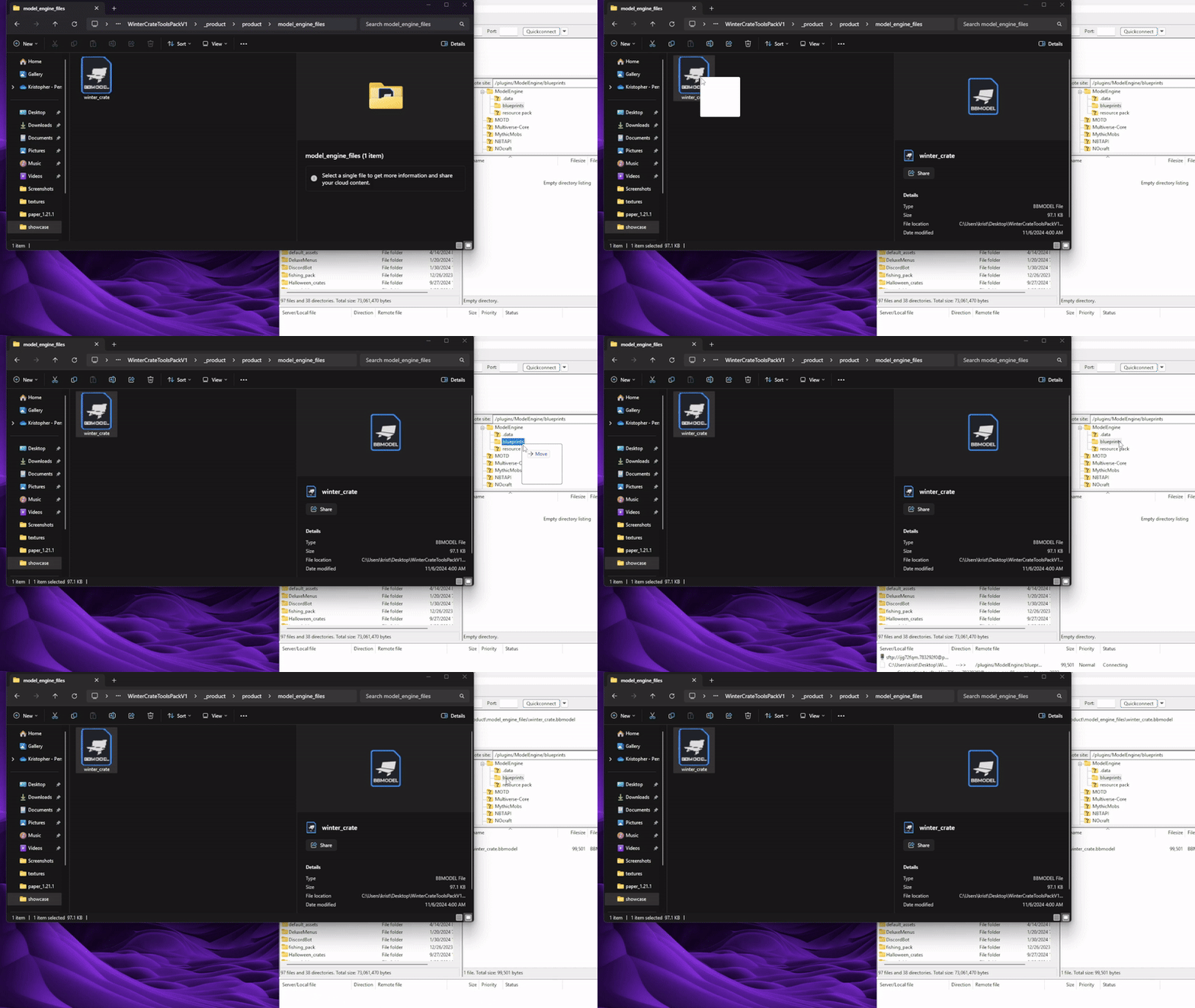
Example With the Winter Crate
Reload Model Engine by running the /meg reload command to generate a new resourcepack.
Merge the resourcepack generated by model engine with your server's resourcepack
Open the settings.yml file of Nexo and find the following option to check if its enabled.
  import:
    modelengine: true
Run /nexo reload all to generate a new resourcepack, which will include the model engine's resourcepack.
Open the ModelEngine/resource pack folder. Inside you will find an assets folder
.png)
Copy that folder and go to Oraxen/pack to paste it.
.png)
Run /oraxen reload all to generate a new resourcepack, which will include the model engine's resourcepack.
Open the config.yml file of ItemsAdder and find the following option to add the model engine's resourcepack.
merge_other_plugins_resourcepacks_folders:
  - "ModelEngine/resource pack"
Run /iazip to generate a new resourcepack, which will include the model engine's resourcepack.
Open the ModelEngine folder. Inside you will find a zipped file named resource pack.
.png)
That file needs to be merged with the resourcepack that you already have on your server. To achive that you can you an online merger.
If its your first time using a resourcepack on your server and you are lost, make sure to check out our detailed guide by clicking here.
Oops... looks like the spiders padded through here
Add products to your cart and remove them from here Lets buy