



Oops... looks like the spiders padded through here
Add products to your cart and remove them from here Lets buy
On this page, you will find information on how to create NPCs with the plugin
Creating an NPC only takes a few clicks, and you’ll be able to spawn one in no time.
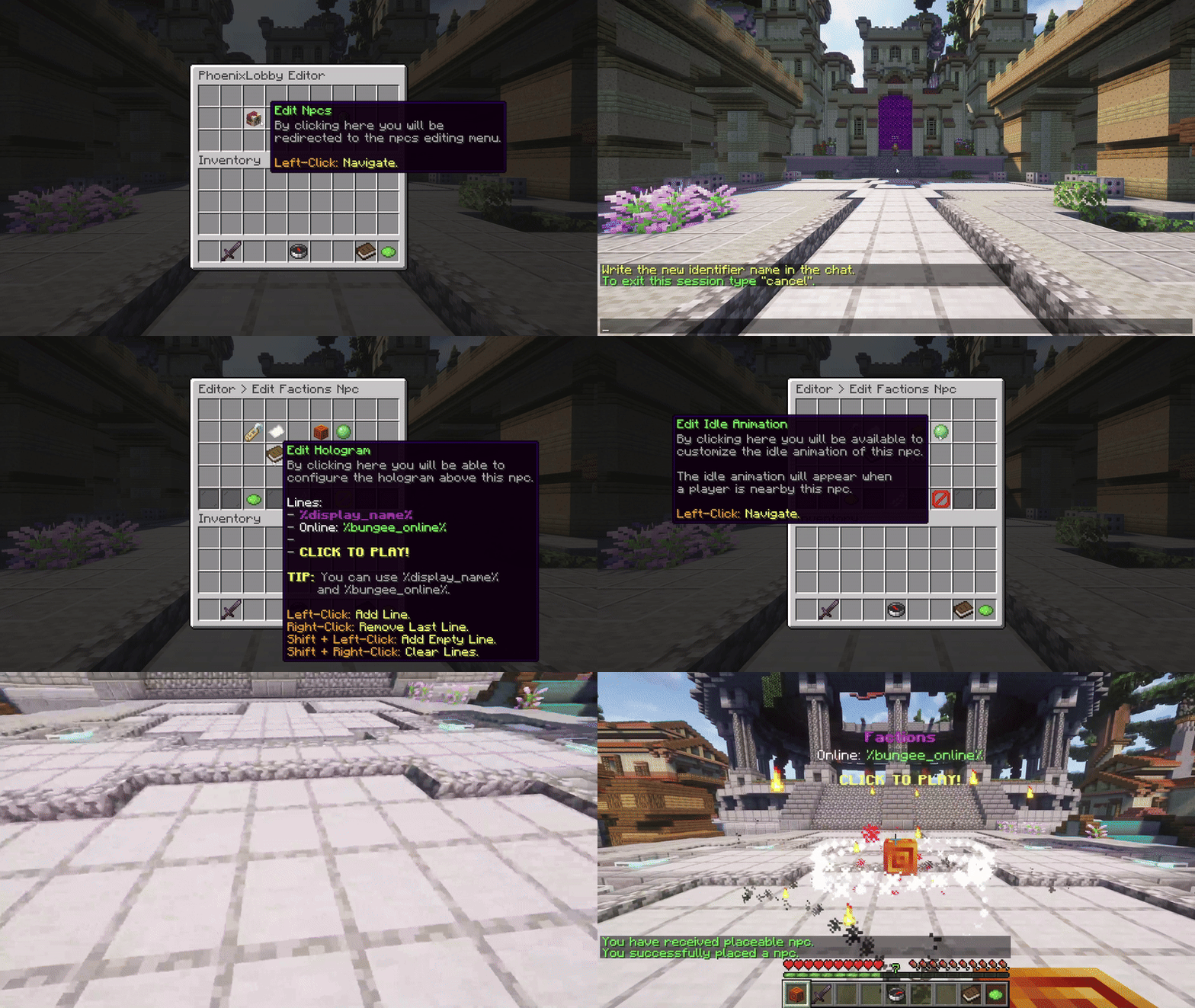
In-Game Editor - Create an NPC
With this option, you can set an identifier for the NPC. Note that the NPC identifier is unique and used internally by the plugin, and its different from the display name.
If the identifier is changed, your NPC might no longer work.
.png)
Editor > NPC > Identifier
With this option, you can adjust the display name of the NPC. The display name is typically shown in the hologram above the NPC.
For the display name, you can use the default Minecraft color codes. For hex colors, use the &#D6D045 format.

Editor > NPC > Display Name
Oops... looks like the spiders padded through here
Add products to your cart and remove them from here Lets buy