



Oops... looks like the spiders padded through here
Add products to your cart and remove them from here Lets buy
On this page you will find details regarding all the states that the inventories have.
The lobby includes special items to help users navigate the plugin’s features more easily. By default, the lobby items are:
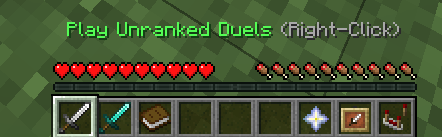
Default Lobby Items
When a user joins a party, their hotbar items automatically change to enhance navigation and make it easier to play games with the party. The items available during the party state are:
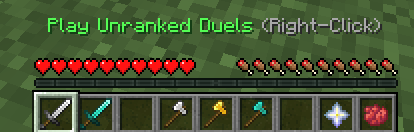
Party Lobby Items
When the party is queuing, the hotbar items automatically update to include a red dye. Clicking on the red dye allows a party member to leave the queue, which will stop the entire party from queuing.
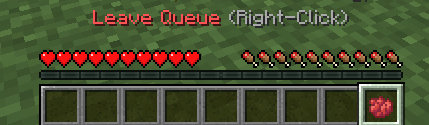
Queue Lobby Items
To display the player's head in the hotbar, use the following method.
material: PLAYER_HEAD
To display a custom head as an item, use the basehead option.
material: PLAYER_HEAD:BASEHEAD_VALUE
Oops... looks like the spiders padded through here
Add products to your cart and remove them from here Lets buy