



Oops... looks like the spiders padded through here
Add products to your cart and remove them from here Lets buy
On this page, you will find all the information about linking keys to your crate.
This option allows you to link the key to the crates you want it to be able to open.

Editor > Crates > Crate
With the Pro Plan, you are allowed you to link more than 1 keys per crate.
Linking a key is a simple process. When you click on the Link Key glass, a menu will appear showing all available keys on your server, allowing you to select the one you want to link to the crate.
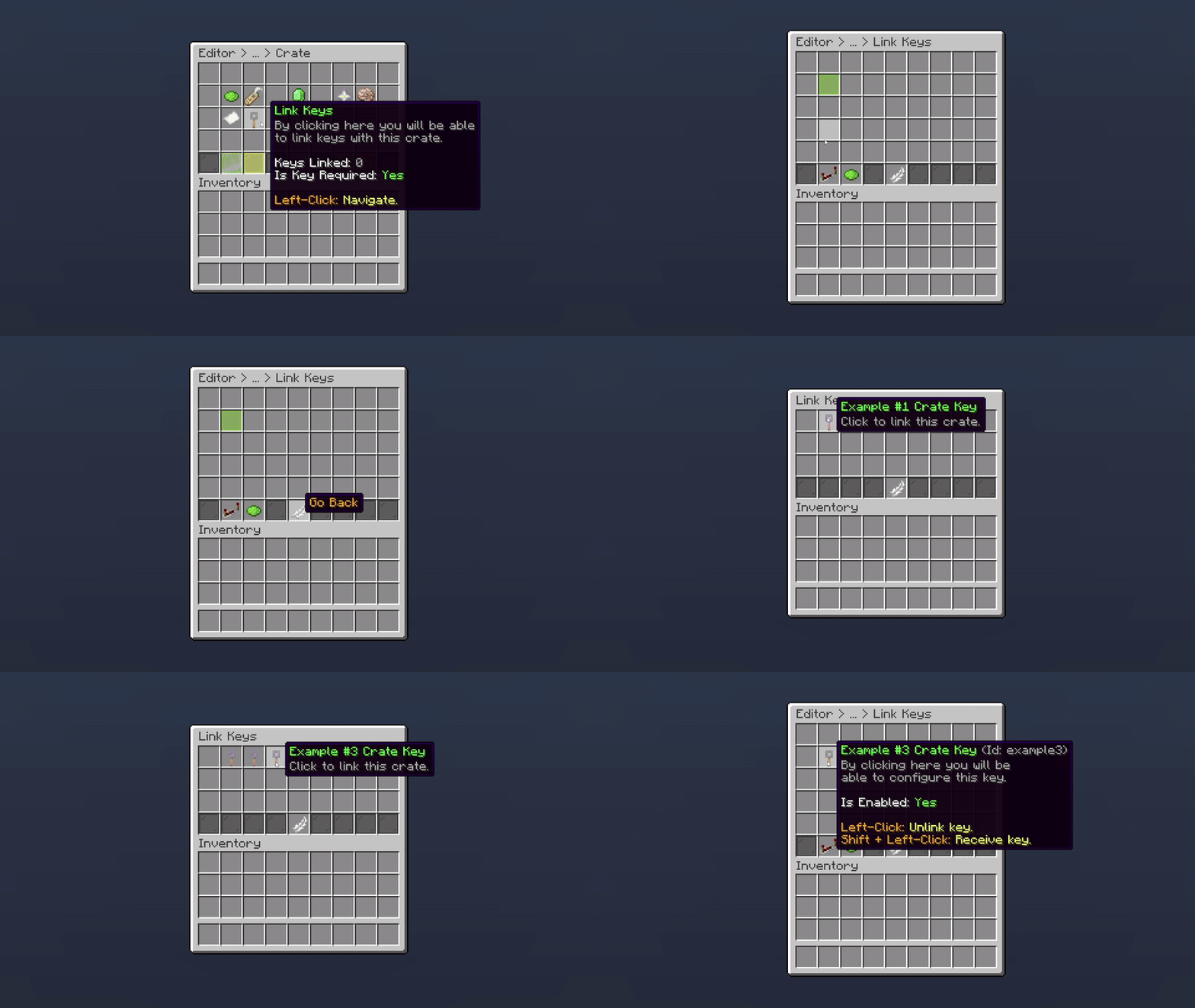
Editor > Crates > Crate > Link Key
By default, Key Required is enabled, which means the player must have at least one key to open the crate. If you don't want a key to be required, you can disable this option.

Editor > Crates > Crate > Link Key
When you have two or more keys linked to your crate, you can use the priority setting to determine which keys should be consumed first.
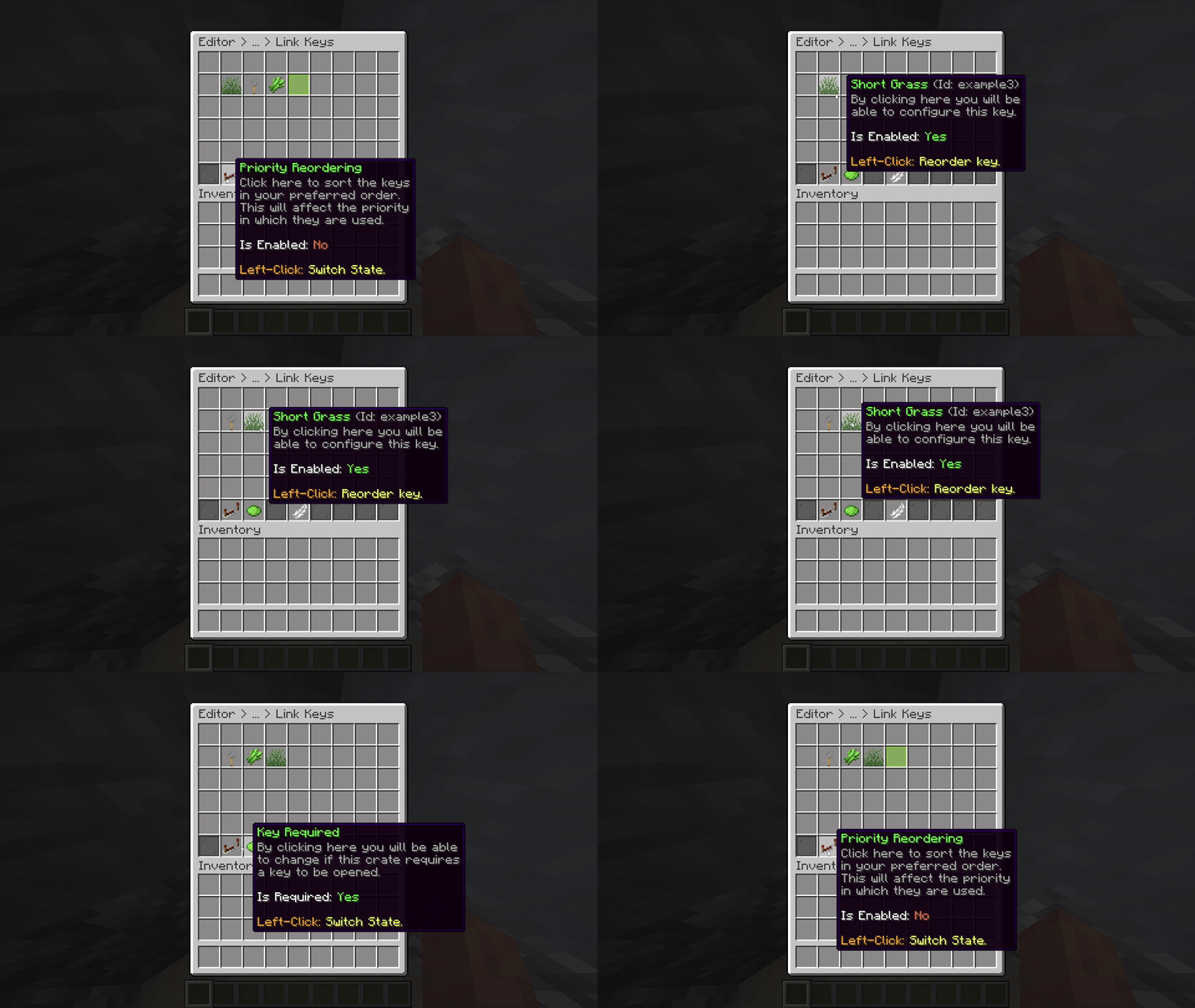
Editor > Crates > Link Key
The Key Priority feature requires the Pro plan of Phoenix Crates.
Oops... looks like the spiders padded through here
Add products to your cart and remove them from here Lets buy