



Oops... looks like the spiders padded through here
Add products to your cart and remove them from here Lets buy
On this page, you will find everything you need to know about adding rewards to your server.
To add a reward to your crate, simply click on the stained glass and create your reward!

Crate > Rewards
Example of adding a reward:
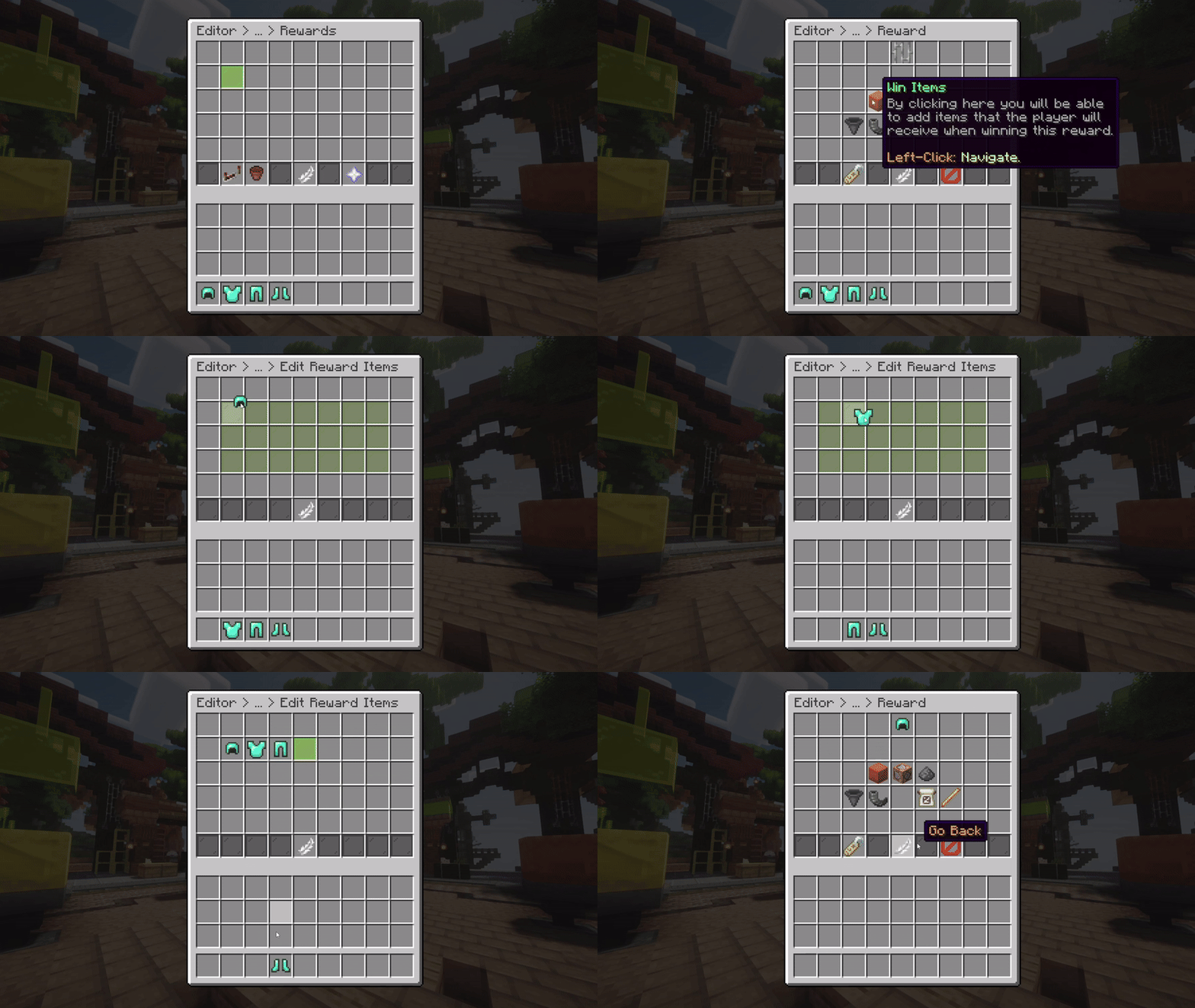
Diamond Set Example as a Reward
If you don’t want the hassle of adding multiple rewards to your crate one by one, you can shift left click on the glass to quickly add multiple rewards with just a few clicks.
Example of adding multiple rewards:
.gif)
Multiple Rewards Example as Rewards
This feature is only available with the Premium Plan.
You can use the reordering option to sort the rewards in your desired order for the crate's preview menu.
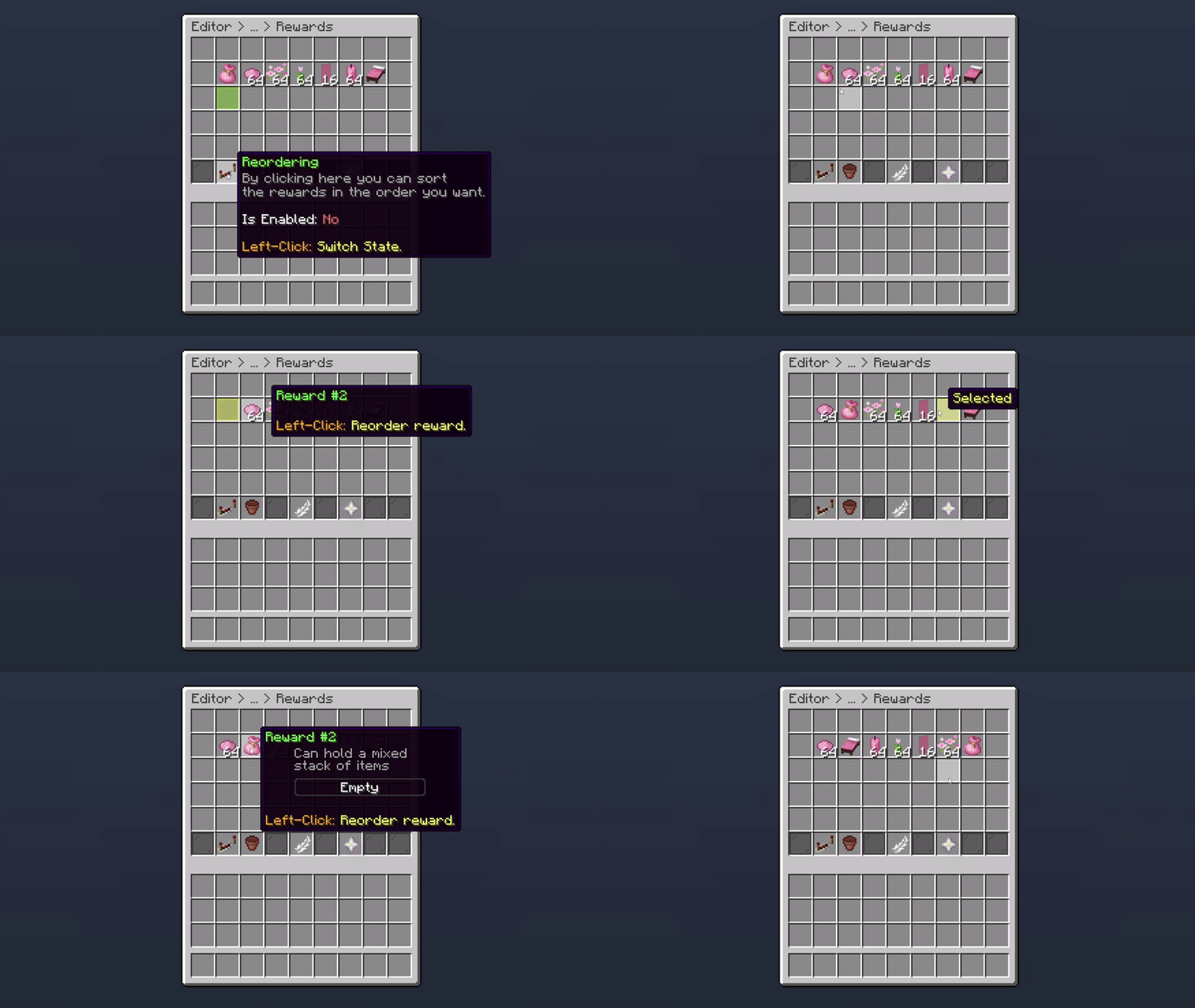
Reordering Rewards
This features is only available to the Random Rewards Mode.
With Max Win Rewards, you can specify how many rewards a user can win by opening a single crate. The minimum number of rewards a user can receive is 1, and the maximum is 5.

Max Win Rewards
With the Plan, you are allowed to use up to 30 Max Win Rewards.
Oops... looks like the spiders padded through here
Add products to your cart and remove them from here Lets buy