



Oops... looks like the spiders padded through here
Add products to your cart and remove them from here Lets buy
On this page, you will find everything you need to know about editing your reward.
To create virtual rewards, simply exclude win-items from your rewards and use the win-commands option to run commands when a user wins the item. Make sure that you have a display item if you want to set up a virtual reward.
Example of adding a reward that gives balance to the user:
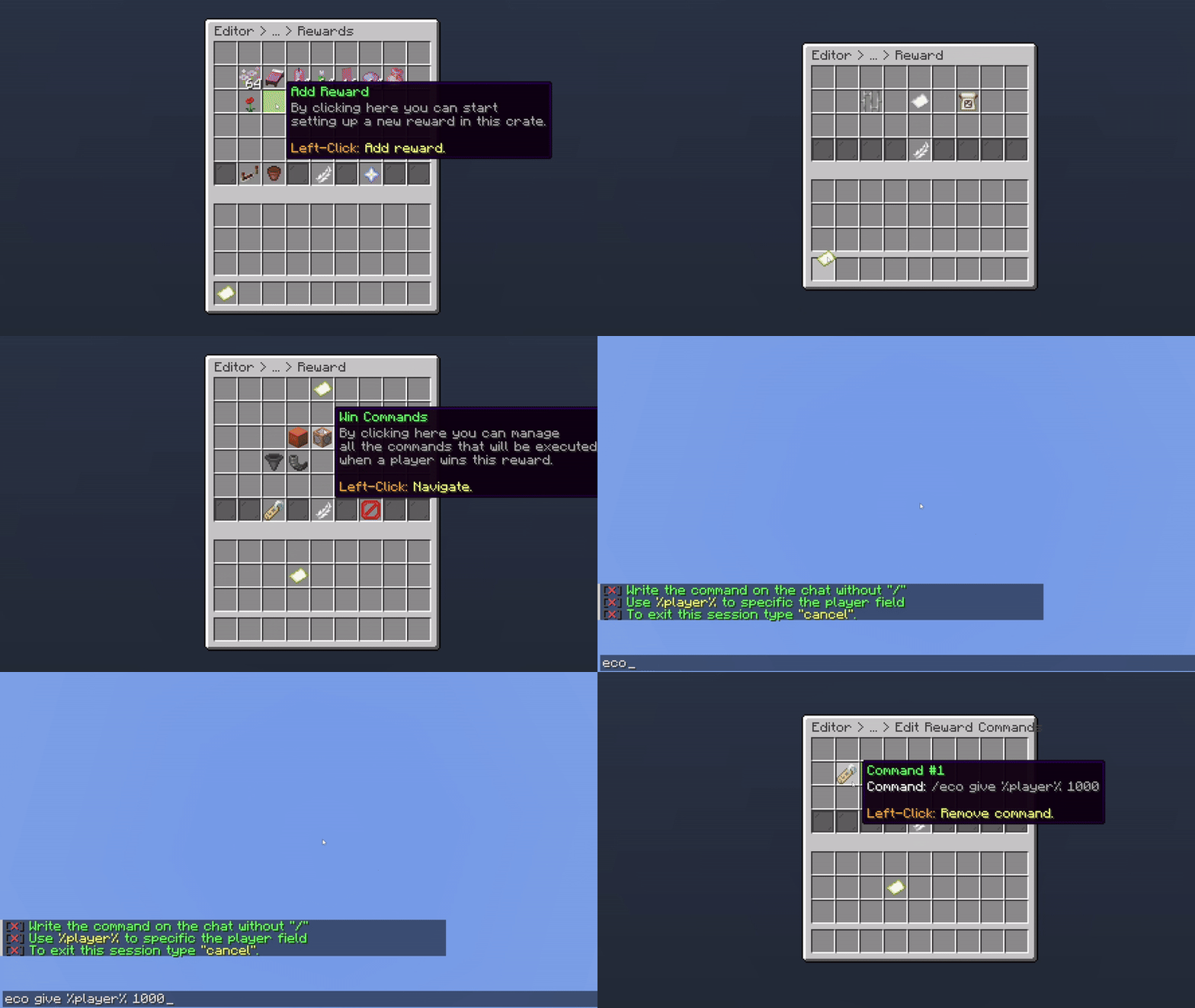
Giving Balance as a Reward
Make sure to remove the display item from the win items when adding it. By default, our system also adds the display item as a win item.
With this option, when a user wins a specific item, all online players on the server will also receive the same reward.

Giving Reward to Online Players
This option prevents users from winning the reward if they have any of the specified permissions on the reward.
Example of adding a permission:
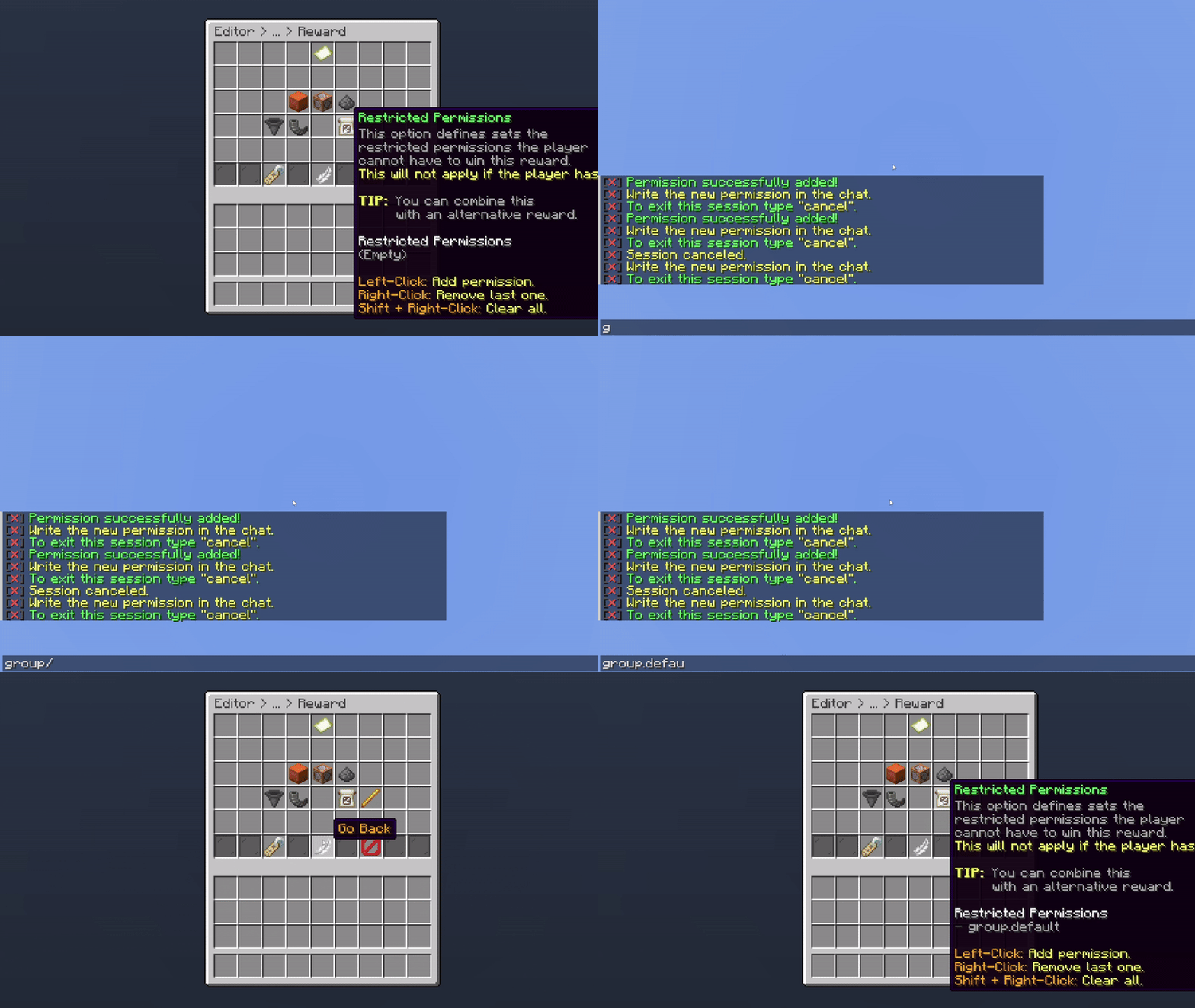
Example of Adding a Permission
In the example above, if a user is assigned to the permission group.default, they won’t be able to win this reward. Since they won’t have access to it, you can use the Alternative Reward to give them a different item instead.
This option is especially useful for situations where a user already owns a cosmetic item, such as tags, chat colors, prefixes, or other cosmetics.
To broadcast a message to all online players when a user wins a specific reward, simply enable the Broadcast Message feature.
By default this feature is not activated.

Broadcast a Reward
To modify the broadcast message, you can do so in the main crate settings.
With this option, you can customize the material, display name, and lore. Note that this is the display item and will not be given to the user.
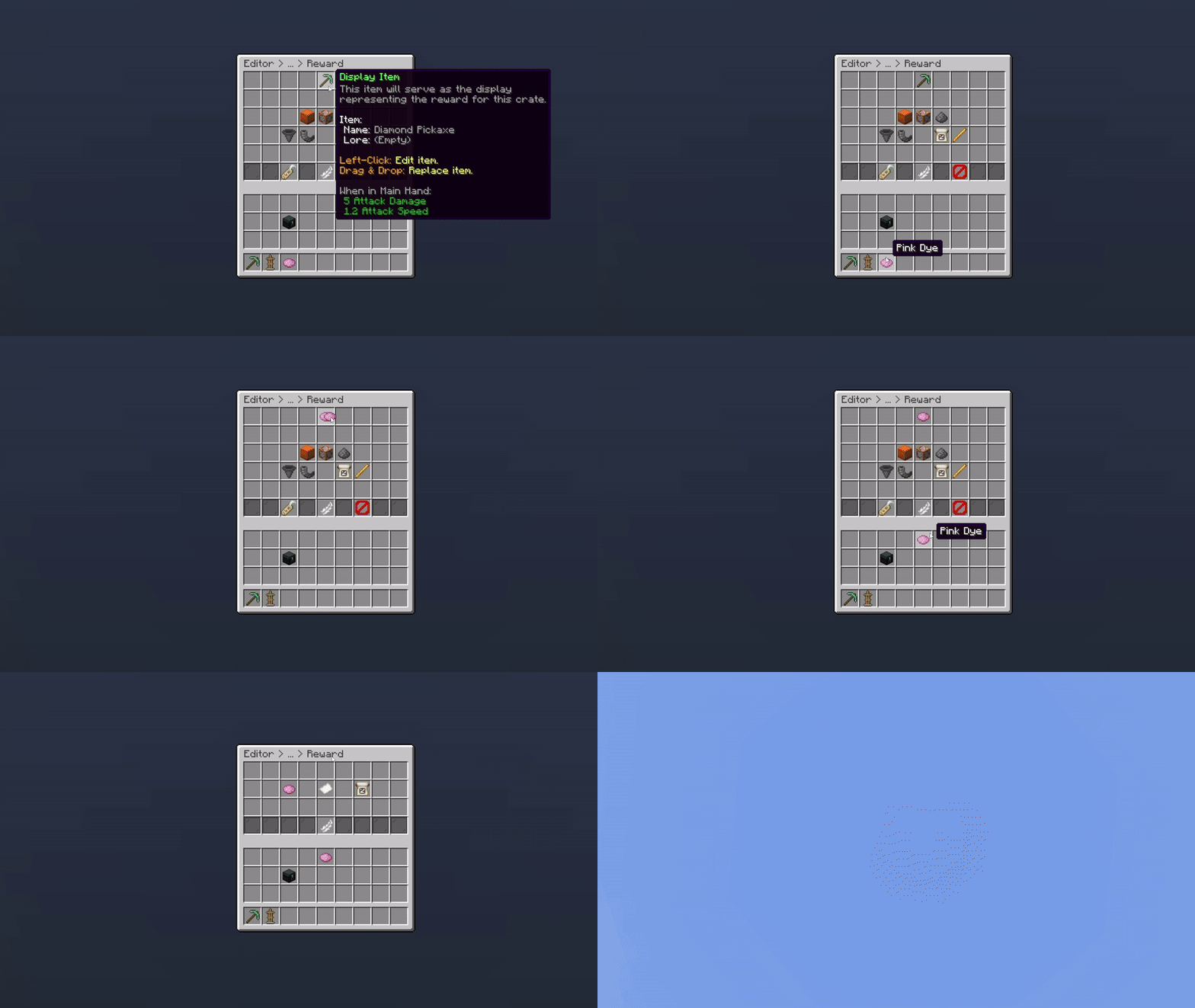
Changing the Display Item
With this option, you can set a unique identifier for the reward. By default, the plugin automatically assigns a unique identifier to each reward. Changing this identifier will result in data loss.

Crate Reward Identifier
If the identifier is changed, the player progress will get deleted.
With this option, you can delete the reward from your crate.

Delete Reward
This option is permanent, and rewards can't be restored.
Oops... looks like the spiders padded through here
Add products to your cart and remove them from here Lets buy